Managed IT Support in Indianapolis: Your Guide to Reliable Small Business IT Services
Running a small business in Indianapolis means juggling a lot — including your IT. This guide walks you through managed IT support: what it is, the services available, the benefits of outsourcing, and practical steps to get started. Understanding managed IT can help you boost efficiency, tighten security, and stay competitive as technology changes. We’ll cover definitions, service options, key benefits, and implementation tips.
Comprehensive Guide on Managed IT Support in Indianapolis for Small Businesses
Managed IT support means bringing in a third-party team to handle your IT tasks. That lets you focus on your core work while professionals monitor, maintain, and secure your systems. For many Indianapolis small businesses, it’s an affordable way to access skills and tools you might not keep in-house. The payoff is smoother operations, less downtime, and better productivity.
1. Overview of Managed IT Support
Managed IT covers a mix of services to keep your technology running well. Think network monitoring, data backup and recovery, cybersecurity, and help desk support. Outsourcing gives you proactive care so systems stay secure and online. Tech365 provides these services and tailors solutions to fit the needs of Indianapolis small businesses.
2. Service Offerings
Tech365 offers a full suite of managed IT services for Indianapolis small businesses. These include:
| Service | Description |
|---|---|
| 24/7 Monitoring | Continuous monitoring of IT systems to detect and resolve issues proactively. |
| Help Desk Services | Dedicated support for IT-related inquiries and troubleshooting. |
| Data Backup and Recovery | Solutions to ensure data integrity and availability in case of loss. |
| Network Monitoring | Oversight of network performance and security to prevent breaches. |
| Security Services | Implementation of cybersecurity measures to protect sensitive information. |
| Cloud Services | Solutions for cloud migration and management to enhance flexibility. |
| Compliance Services | Assistance with regulatory compliance to avoid legal issues. |
Together, these services give small businesses the tools and support they need to grow and compete.
3. Benefits of Managed IT Support

Managed IT brings several clear benefits for Indianapolis small businesses:
- Enhanced Efficiency: By outsourcing IT management, businesses can focus on their core operations, leading to improved productivity.
- Proactive Support: Managed IT services provide continuous monitoring and maintenance, reducing the likelihood of unexpected downtime.
- Cost Predictability: Fixed monthly fees for managed services help businesses budget more effectively, avoiding unexpected IT expenses.
They show why managed IT is a smart investment for businesses that want to run smoother and avoid surprise downtime.
4. Best Practices for Implementation
To get the most from managed IT, try these best practices:
- Initial Consultation: Engage with a managed IT provider to assess specific needs and challenges.
- Tailored IT Planning: Develop a customized IT strategy that aligns with business goals and objectives.
- Ongoing Communication: Maintain regular communication with the IT provider to ensure alignment and address any emerging issues.
Following them helps you get a smoother onboarding and better long-term results.
What Is Managed IT Support and Why Does Your Indianapolis Business Need It?
Managed IT gives Indianapolis businesses a strategic way to manage technology. As you rely more on digital tools, challenges like cyber threats, data handling, and system upkeep grow. Partnering with a managed IT provider gives you assistance and resources to strengthen your operations.
Managed IT Support for Small Businesses in Indianapolis
Many small businesses can’t afford a full IT department. Managed IT fills that gap by giving you skilled professionals who keep systems running so you can focus on customers and growth.
Understanding Managed IT Support Services for Small Businesses
Managed IT services cover a range of offerings tailored to small businesses: network management, data protection, and IT consulting, all aimed at improving efficiency and security. Knowing what each service does helps you pick the right mix for your needs.
Key Benefits of Choosing Managed IT Support in Indianapolis
Choosing managed IT support in Indianapolis provides several benefits, including:
- Local Expertise: Providers understand the unique challenges faced by businesses in the area.
- Tailored Solutions: Services can be customized to meet the specific needs of each business.
- Proactive Support: Continuous monitoring and maintenance help prevent issues before they arise.
Those advantages make a local, customizable IT partner a smart choice for Indianapolis businesses.
How Does Tech365 Provide Comprehensive IT Help Desk Support?
Tech365’s help desk support is built for small businesses — available 24/7 so you can get help when you need it. Their team handles a wide range of issues to keep disruptions short.
Features of Tech365’s IT Help Desk Support for Local Businesses
Tech365’s IT help desk support includes several key features:
- Emergency Support: Rapid response to critical IT issues to minimize downtime.
- Ongoing Communication: Regular updates and communication to keep businesses informed.
- Comprehensive Services: A wide range of IT support services to address various needs.
Together, these features make sure you have dependable support to keep systems running.
How Remote IT Support Enhances Your Business Flexibility
Remote IT support adds flexibility and saves money. You can get assistance without waiting for someone to come on-site, which is great if you don’t have full-time IT staff.
What Network Security Services Protect Indianapolis Small Businesses?
Network security services protect small businesses from cyber threats. They usually include layered defenses, incident response plans, and ongoing monitoring to spot risks early.
- Layered Protection: Implementing multiple security measures to safeguard against various threats.
- Incident Response: Rapid response strategies to address security breaches effectively.
- Proactive IT Support: Continuous monitoring to identify and mitigate potential risks.
Investing in network security helps protect customer data and keeps trust intact.
Common Cybersecurity Threats and How Managed Services Defend Against Them
Small businesses face threats like phishing, malware, and ransomware. Managed services defend against these with regular security audits, employee training, and up-to-date security tools.
- Regular Security Audits: Identifying vulnerabilities and implementing necessary updates.
- Employee Training: Educating staff on recognizing and responding to potential threats.
- Advanced Security Solutions: Utilizing cutting-edge technology to protect against cyber attacks.
These strategies are crucial for maintaining a secure IT environment.
Cybersecurity Risks & Prevention for Small Businesses
Over the past decade, the number of cyberattacks affecting United States small- and medium-sized enterprises (SMEs) has increased substantially; with an average per-breach loss of $500,000 USD. Cyber-breaches most often result in business closure within 6 months of the breach. A modified Delphi technique used with a 20-member panel of cybersecurity experts was conducted to discover ways SMEs could prevent these breaches.
Strategic cybersecurity risk management practices for information in small and medium enterprises, M Preiksaitis, 2022
Integrating network security with managed IT creates a fuller approach to protection. That means combining layered defenses, firewall management, and ongoing staff training.
Integrating Network Security with Your Managed IT Support
Integrating these elements helps businesses build a strong security framework that protects their IT infrastructure.
How Can Cloud Managed Services Boost Your Business Efficiency?

Cloud managed services give small businesses more flexibility and room to grow. Moving to the cloud can improve collaboration, let you scale resources easily, and reduce the need for on-site hardware.
- Improve Collaboration: Cloud solutions facilitate better communication and collaboration among team members.
- Enhance Scalability: Businesses can easily scale their IT resources to meet changing demands.
- Achieve Cost Efficiency: Reducing the need for on-premises infrastructure can lead to significant cost savings.
Those perks make cloud services worth considering if you want to run more efficiently.
Benefits of Cloud Migration for Small and Medium Businesses
Migrating to the cloud brings cost savings, easier scaling, and better collaboration through cloud-based tools.
- Cost Savings: Reduced infrastructure costs and pay-as-you-go pricing models.
- Improved Scalability: Easily adjust resources based on business needs.
- Enhanced Collaboration: Access to cloud-based tools that facilitate teamwork and communication.
That’s why cloud migration often becomes part of a broader IT strategy.
Tech365’s Cloud Solutions Tailored for Indianapolis Companies
Tech365 builds cloud solutions with local businesses in mind. Their offerings include local support, proactive monitoring, and scalable options that grow with your company.
- Local Support: Personalized assistance from a team familiar with local business needs.
- Proactive Monitoring: Continuous oversight of cloud systems to ensure optimal performance.
- Scalability: Flexible solutions that can grow with the business.
Picking Tech365 means you get the benefits of cloud technology plus tailored support from a team that understands the local market.
What Should You Consider When Choosing a Managed IT Support Provider in Indianapolis?
When you’re choosing a managed IT provider, keep a few key factors in mind:
Consider guidance when evaluating cloud-based providers and their selection criteria.
Cloud IT Service Management Provider Selection
problem of a provider selection for a cloud-based IT service management (ITSM) solution. Furthermore, critical selection criteria for the process of provider selection are identified.
Cloud service management decision support: An application of AHP for provider selection of a cloud-based IT service management system, T Proehl, 2014
- Service Model: Understand the provider‘s service offerings and support structure.
- Proactive Support: Look for providers that emphasize proactive monitoring and maintenance.
- Qualifications and Experience: Evaluate the provider‘s expertise and track record in the industry.
Keeping these points in mind will help you pick a partner that fits your needs.
Key Questions to Ask Your IT Support Partner
Before you sign on, ask these questions to see how well a provider fits your business:
- What is your experience in our industry?
- How do you handle cybersecurity threats?
- What is your pricing structure?
They’ll give you a clear sense of the provider‘s capabilities and approach.
How Tech365 Stands Out Among Indianapolis IT Providers
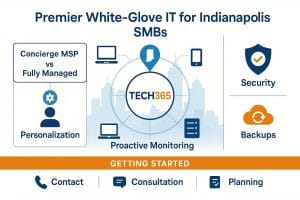
Tech365 stands out by focusing on high-quality, personalized support. Their strengths include white-glove managed IT, local expertise, and proactive monitoring.
- White Glove Managed IT: A focus on exceptional customer service and tailored solutions.
- Local Support: A team that understands the unique challenges faced by Indianapolis businesses.
- Proactive Monitoring: Continuous oversight to prevent issues before they arise.
Those qualities make Tech365 a strong choice for managed IT in the region.
How Does Disaster Recovery and Backup Fit Into Managed IT Support?
Disaster recovery and backups are core parts of managed IT. They help you recover from data loss or system failures through regular backups, tested recovery plans, and clear procedures.
- Regular Backups: Implementing routine data backups to prevent loss.
- Testing Recovery Plans: Regularly testing recovery procedures to ensure effectiveness.
- Clear Procedures: Establishing clear protocols for data recovery and business continuity.
Adding disaster recovery to your IT plan helps protect daily operations from unexpected events.
Why Disaster Recovery Is Essential for Small Businesses
Disaster recovery protects data and keeps your business running after disruptions. It also helps you meet legal and regulatory requirements for data protection.
- Data Protection: Safeguarding critical business information from loss.
- Business Continuity: Ensuring operations can resume quickly after a disruption.
- Regulatory Compliance: Meeting legal requirements for data protection.
That’s why a strong disaster recovery plan is worth the investment.
Tech365’s Approach to Business Continuity and Data Protection
Tech365 uses proactive measures for business continuity and data protection: managed data backups, disaster recovery services, and regular recovery testing.
- Managed Data Backup: Regular backups to ensure data integrity.
- Disaster Recovery Services: Comprehensive plans to recover from data loss.
- Periodic Recovery Testing: Testing recovery procedures to ensure effectiveness.
This approach helps you keep operating even when unexpected problems occur.
Frequently Asked Questions
What should small businesses look for in a managed IT support provider?
When you’re choosing an IT provider, look at their industry experience, the range of services they offer, and how proactive they are. Check qualifications, customer reviews, and whether they can customize solutions for your needs. Also confirm pricing and support hours to make sure they match your expectations.
How can managed IT support improve cybersecurity for small businesses?
Managed IT boosts cybersecurity by layering defenses to fit your business — regular audits, staff training, and modern security tools. Continuous monitoring helps spot weak points before attackers do. Partnering with professionals gives you skills and tools you might not have in-house.
What role does cloud migration play in managed IT support?
Cloud migration helps small businesses use scalable tools and lower infrastructure costs. Moving to the cloud can improve collaboration and make it easier to adjust resources as demand changes. Managed providers assist with secure data transfer and integrate cloud solutions into your existing setup.
How does Tech365 ensure business continuity for its clients?
Tech365 maintains business continuity by doing regular backups, creating thorough disaster recovery plans, and testing those plans on a schedule. Clear recovery steps and routine testing help minimize downtime when problems happen.
What are the advantages of 24/7 IT support for small businesses?
24/7 IT support gives you help whenever a crisis hits, which cuts downtime. Around-the-clock monitoring also finds and fixes issues early, keeping operations running more smoothly.
How can small businesses benefit from IT help desk services?
An IT help desk gives your team dedicated support for tech problems. That reduces frustration and keeps employees productive. Help desk teams handle everything from software glitches to hardware issues so you can stay focused on your work.
What is the importance of compliance services in managed IT support?
Compliance services help you follow industry rules and avoid penalties. They ensure data protection measures are in place and that you’re following security best practices. Working with a provider that offers compliance support makes navigating regulations easier.
Conclusion
Managed IT helps Indianapolis small businesses run more efficiently, reduce downtime, and access resources tailored to their needs. With the right provider, you can strengthen cybersecurity and meet compliance requirements. Choosing a reliable partner like Tech365 can boost your business‘s resilience and success. Find out how tailored IT solutions can elevate your business today.