Frequently Asked Questions
Support & Reliability
How quickly do you respond to help requests?
A local team member always handles your request. We prioritize every ticket based on the type of issue to ensure your most critical needs are met first.
What if we have a tech emergency at 3 AM?
We offer 24/7/365 support for emergencies outside normal hours. We jump in to resolve major issues so your business stays on schedule and secure.
Will we have a consistent team that knows our business?
Yes. We act as your single, local partner. Our team learns your specific environment to provide a personal experience tailored to your business.
Do you provide onsite support?
We provide both remote helpdesk and local onsite support. If a problem cannot be fixed from our office, we head to your location to get you back up and running.
Will I wait in queues or speak with offshore teams?
Never. You always speak with a local team member. We do not use offshore call centers or AI bots to handle your support.
Security & Privacy
How do you stop hackers and ransomware?
We use 24/7 monitoring, firewalls, and encryption to block threats. Multi-factor authentication ensures only the right people access your data.
Can you recover our data if a server fails?
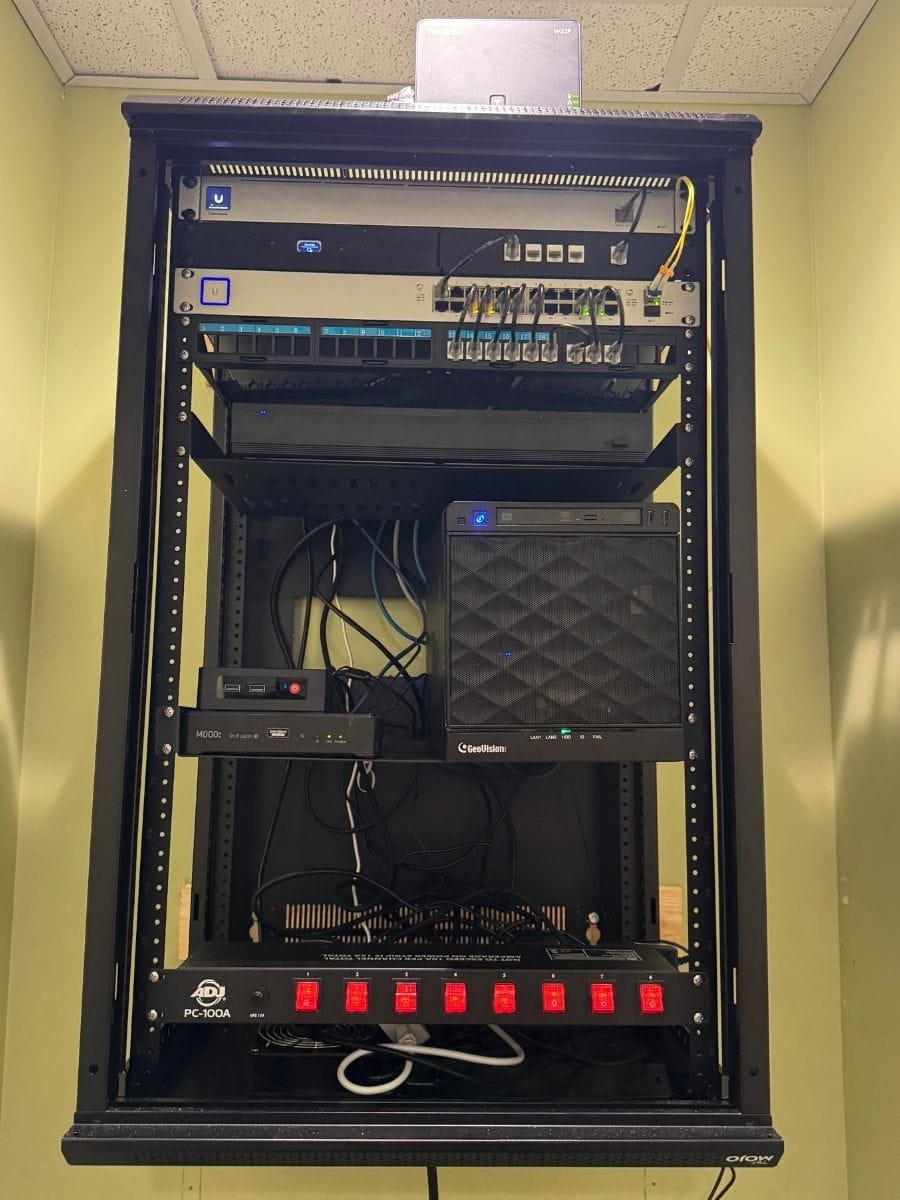
We maintain verified on-site and off-site backups. We test these regularly to ensure your information is resilient and ready to be restored.
Do you train our staff on security?
Yes. We provide security education and phishing tests to help your team spot scams. We also monitor for dark web threats to protect employee data.
Do you help with industry privacy rules?
We build compliance into our service using audit-ready logs and modern security standards. This helps you meet safeguards required by regulators and insurers.
How do you protect our laptops and devices?
We use Endpoint Detection and Response to monitor devices for suspicious activity. This stops cyberattacks before they can cause damage.
Partnership & Strategy
Is it difficult to switch IT companies?
We make it simple by performing a full audit to bridge gaps in your coverage. We clean up technical messes to ensure a smooth transition to our partnership.
Will our daily work be interrupted by updates?
We focus on keeping you productive. By using proactive monitoring and after-hours updates, we resolve issues behind the scenes so you can work without downtime.
How do you help us budget for new tech?
We offer strategic advice to track equipment life and plan refreshes. This creates a predictable budget and ensures tech is replaced before it fails.
What makes your support different?
We provide proactive technology and reliable, personal support from a local team. We manage your entire digital environment so you can focus on your business.
Is my business too small for support?
No. We support businesses of all sizes. We provide local, professional care to ensure your company has the reliable support it needs.
REAL CLIENT FEEDBACK
Trusted IT Support For Local Businesses
EXCELLENT Based on 127 reviews
 Posted on Google
 Joe MetzSeptember 1, 2026Brandon was a huge help! I was referred to 2 other tech people first (from other companies) who were not able to solve my issue and Brandon had us up and running in just a few hours. I could not recommend Brandon and Tech365 enough!!Posted on Google
 Missy TennantAugust 25, 2026Brandon and his team are the best. They are always available and keep us up and running. We couldn't do what we do without him.Posted on Google
 Zach SmithAugust 24, 2026We have been absolutely thrilled with the team at Tech365. They are very quick to respond when they are and go above and beyond to service their clients. We are happy to have them on our side!Posted on Google
 Monish PatelAugust 24, 2026Best Ever. Brandon knows it all and does the best work!! Would use him for everything! Smartest guy in the room and has the best heart as well!!Posted on Google
 Joshua CarterAugust 23, 2026If you are looking for a company that prioritizes your needs, finds ways to save you money, and can do anything (literally anything) tech related…. Look no further. I have been working with Tech365 for the past couple of years and my business operations have drastically improved because of them. Brandon solves problems and lets you be a part of the process and learn along the way. Super helpful for another business owner who desires to understand all parts of their business. I highly recommend Tech365!Posted on Google
 Thomas AustinAugust 19, 2026Great job and great service. Thank you.Posted on Google
 Daniel ClarkAugust 11, 2026I had a computer that was old, out of date, and poorly functioning. Tech365 solved all of my worries. I purchased a new computer and brought it to Tech365. All of my documents were transferred expertly from the old computer to the new computer. Microsoft programs were updated and running flawlessly, as were connections to the Internet and printer. The Tech365 technician (Brandon: the company leader) was a patient and thorough expert. The price for the work was very reasonable. He even checked with me the next day to see if everything was working. It was.Posted on Google
 Tammy JonesJuly 30, 2026Brandon was definitely a gift sent from God. He was able to help my 84 year-old mother with mild dementia (who still lives independently) fix her TV. Mom was very impressed with his knowledge and skills too. Thank you, Brandon!Posted on Google
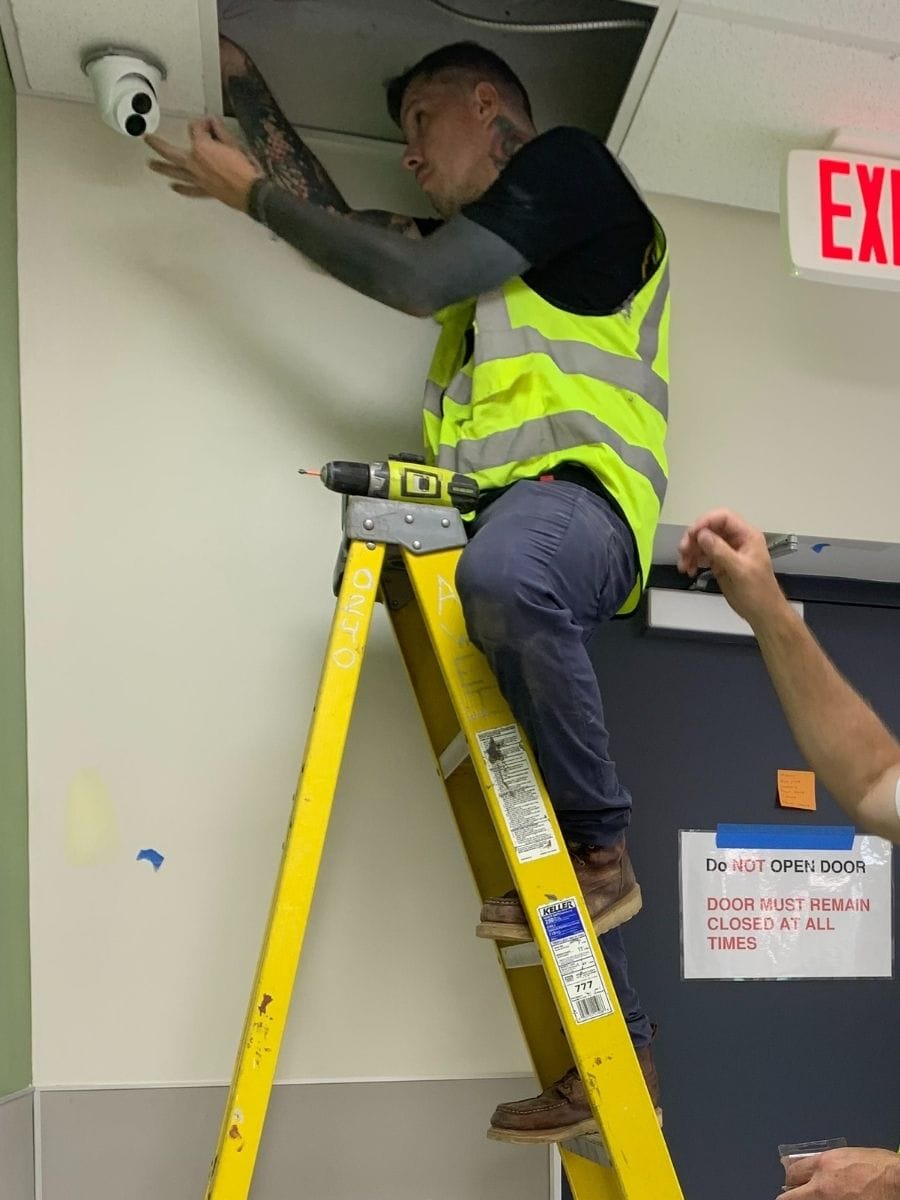
 Vintage SpoonJuly 30, 2026TECH365 is amazing! Tanner, Chris, and Joseph came out to my business and installed 6 security cameras with efficiency and knowledge. These guys are super accommodating, fairly priced, and really know their trade. I'd highly recommend them for any tech support you might need, commercial or residential. Thanks TECH365!!!Posted on Google
 Carolyn ThurstonJune 28, 2026When I was hacked, I thankfully found Brandon at Tech 365. We had all of our airline miles stolen and our fear was that the hackers would soon access all of our financial institutions. Brandon made himself available immediately. Within an hour and a half he resolved all of my issues. He worked with my husband's and my tablets and phones to ensure they were clean and secure. He has been available for any follow-up concerns . Brandon was incredibly compassionate with us and allayed all our fears.

LET'S START WITH A COMPLIMENTARY IT CONSULTATION
Let’s have a clear conversation about your IT, your questions, and what support would actually help.
SMART IT MADE SIMPLE
Our Process For IT Support

Needs Assessment
We review your environment, learn your goals, and identify risks & roadblocks that hold your business back.
Technology Plan
We design a clear technology plan that fits your budget, supports growth, and strengthens your systems.

Launch Solutions
We deploy the right tools, handle setup and training, and ensure everything runs smoothly from day one.

Prevent & Protect
We monitor systems, apply updates, test backups, and coach users so issues are stopped before they start.
COMPLIMENTARY CONSULTATION
Let’s Talk About Your Technology
Start with a complimentary consultation to talk through your technology and see how Tech365 can support your business.
Contact Email
WeCare@Tech365.support
Support Email
Support@Tech365.support
Sales & Support
(317) 762-8362
Emergency Support:
(317) 900-1776
Let's Connect
"*" indicates required fields