
Custom Software Built Around Your Business
Custom software allows your business to operate the way it was meant to, without forcing processes into generic tools. We build applications that streamline workflows, reduce manual work, and support long-term growth.
LET'S CONNECT
"*" indicates required fields


BUSINESS SOFTWARE CHALLENGES
When Software Slows Your Business Down
Many businesses rely on disconnected tools, spreadsheets, and manual processes that slow productivity and limit visibility. Custom software replaces these workarounds with systems designed to support how your business actually operates.
MANUAL DATA ENTRY
LIMITED REPORTING VISIBILITY
EXPENSIVE SOFTWARE FEES
INEFFICIENT WORKFLOW PROCESSES
LET'S START WITH A COMPLIMENTARY CONSULTATION
Get practical recommendations to improve security, reliability, and day-to-day system performance.
CUSTOM SOFTWARE ADVANTAGES
What Custom Software Makes Possible
2 concise sentenceCustom applications are designed around how your business actually works, not the limitations of off-the-shelf software. The result is better efficiency, clearer visibility, and systems that support growth instead of slowing it down.
How Custom Software Improves Operations

BUSINESS PROCESS IMPROVEMENT
Build Systems That Move Your Business Forward
Custom applications are designed around how your business actually works, not the limitations of off-the-shelf software. The result is better efficiency, clearer visibility, and systems that support growth instead of slowing it down.

STREAMLINED OPERATIONS
Custom applications remove unnecessary steps, manual work, and disconnected tools that slow teams down. Processes become simpler, faster, and easier for employees to manage.
CLEARER BUSINESS INSIGHT
When systems work together, leadership gains better visibility into performance, operations, and data. Custom reporting and dashboards help businesses make more confident decisions.
TECHNOLOGY THAT SCALES
As your business grows, custom software can adapt to new processes, users, and data without forcing disruptive system changes. The result is technology that supports long-term growth instead of limiting it.
CUSTOM APPLICATION EXAMPLES
Examples of Custom Applications Businesses Use
Custom software can be designed to solve very specific operational challenges inside a business. These applications streamline workflows, connect systems, and give teams the tools they need to work more efficiently.
OPERATIONS MANAGEMENT SYSTEM
Centralize tasks, workflows, and operational processes into one system designed around how your business actually runs.
REPORTING AND ANALYTICS DASHBOARDS
Turn scattered data into clear reports and dashboards that help leadership make faster, more informed decisions.
CLIENT AND CUSTOMER PORTALS
Provide customers with secure access to documents, updates, requests, or account information through a dedicated portal.
WORKFLOW AUTOMATION TOOLS
Automate repetitive processes such as approvals, notifications, task assignments, and internal requests.
SYSTEM INTEGRATION PLATFORMS
Connect existing software systems so data flows automatically instead of being manually transferred.
INVENTORY OR ASSET TRACKING SYSTEMS
Track inventory, equipment, or resources in real time with better accuracy and visibility.
DEVELOPMENT PROCESS BREAKDOWN
Tech365 Custom Development Process
Each project follows a defined path so progress stays visible and expectations stay clear.
Discovery &
Consultation
Understanding your workflows and goals
Design &
Prototyping
Shaping solutions around real work
Build &
Test
Developing and validating as we go
Launch &
Train
Rolling out with clarity and confidence
Support &
Improve
Evolving the software as needs change
WHY BUSINESSES CHOOSE Tech365
A Development Partner That Understands Business Operations
Successful software projects require more than writing code. Tech365 works closely with businesses to understand real workflows, build practical solutions, and support applications as operations evolve.
Business-First Development
Projects begin with understanding how your team works so software improves real operations, not just technology.
Practical Solutions
Applications are designed to solve specific operational challenges instead of adding unnecessary complexity.
System Integration Experience
Custom applications connect with existing platforms so data flows automatically across systems.
Long-Term Support
Tech365 remains involved after launch to maintain, improve, and adapt the software as your business grows.
Full Software Ownership
Your business owns the software we build, allowing you to control its future development without vendor limitations.
BUSINESS VALUE
An Investment In Efficiency & Growth
Custom software is built to improve how your business operates, not just add another tool. By streamlining workflows and connecting systems, businesses gain long-term value through improved efficiency, productivity, and visibility.
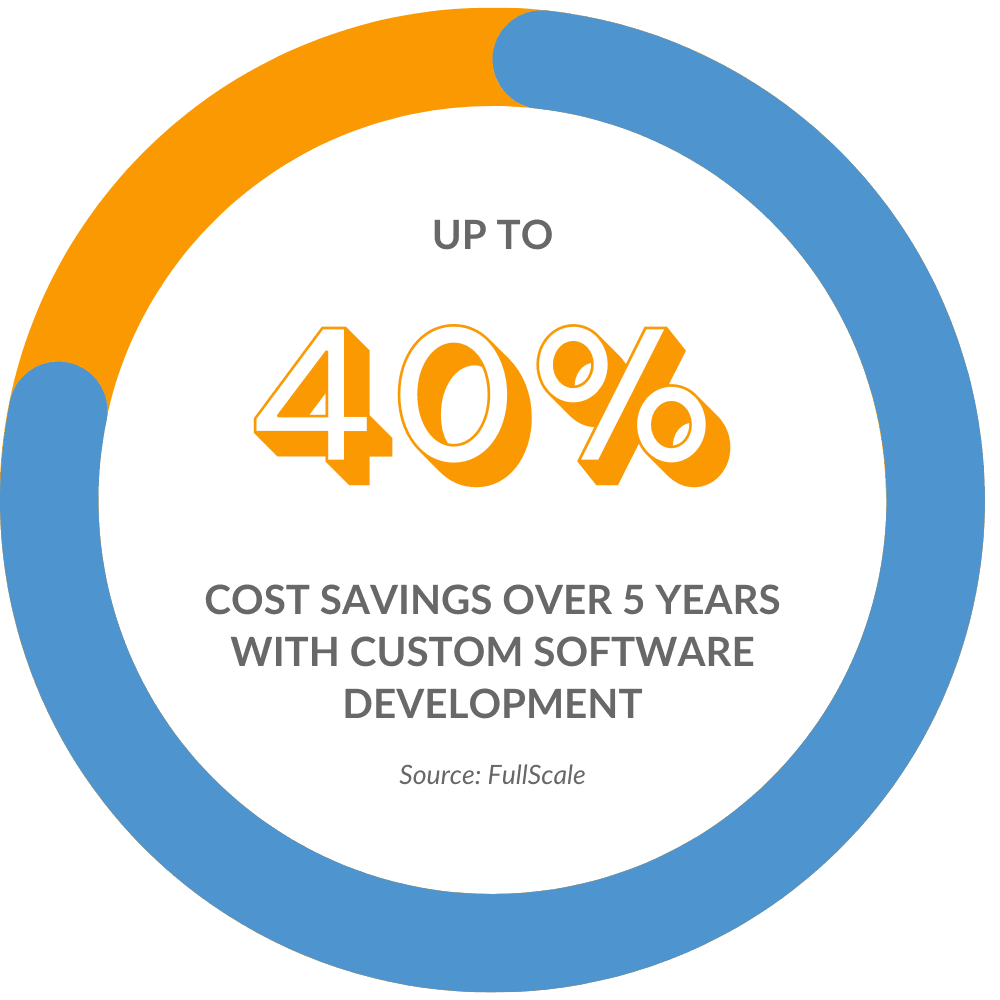
Business outcomes include:
Frequently Asked Questions
Is custom software only for large companies?
Custom software makes sense anytime existing tools start getting in the way of how work actually happens, regardless of company size.
How much does custom software cost?
Pricing depends on what the software needs to do and how it fits into your business, so conversations start with understanding goals.
Will this work with the systems we already use?
Custom applications are designed to fit alongside current tools instead of forcing everything to be replaced.
Do you provide ongoing support?
All applications are developed and maintained in house by a local Tech365 team, not outsourced.
What happens after the software is launched?
Support continues as the business grows, with updates and adjustments made as needs change over time.
Do we own the software that is developed?
Yes. Your business owns the software that is built for your organization. This gives you full control over how the system evolves and ensures you are not locked into a specific vendor or licensing model.
How long does a custom software project take?
The timeline depends on the complexity of the application and the systems involved. Most projects begin with a discovery phase to understand workflows and requirements, followed by development, testing, and deployment in structured phases.
How do you ensure the software actually fits our business?
Every project begins with a discovery and consultation phase where workflows, goals, and operational challenges are reviewed. This ensures the application is designed around how your business actually operates rather than forcing teams to change how they work.
RELATIONSHIPS OVER INVOICE
What Partnership Means To Tech365
We're There When You Need Us
Onsite, by phone, or remote, we resolve issues & keep your team productive.
We Learn Your Business
We listen first, then tailor support that fits your goals, systems, & growth plans.
We Support Your Whole System
We align tech, security, & strategy so everything runs smoothly together.
We're Here For The Long Haul
We guide your growth & innovation with steady, realiable local IT support.