Indiana Managed IT For Attorneys & Law Firms
What Does Managed IT Do for Law Firms?
Managed IT services for law firms keep systems running reliably, protect confidential client data, and ensure your firm stays compliant with ABA and state bar requirements. This includes support for legal practice management software, secure document systems, network stability, and around the clock monitoring.
Key Benefits Of Managed IT:
Let's Connect
"*" indicates required fields

COMMON LEGAL TECHNOLOGY CHALLENGES
IT Problems That Disrupt Law Firms & Legal Practices
Law firms rely on stable technology for case management, client communication, document storage, and billing. When systems fail or vendors cannot resolve issues, billable time, client confidentiality, and daily operations are all at risk.
NETWORK INSTABILITY ISSUES
ABA & COMPLIANCE RISKS
OUTDATED TECHNOLOGY
BACKUP & RECOVERY ISSUES
LET'S START WITH A COMPLIMENTARY IT CONSULTATION
Let’s talk about your case management software, client data security, and the technology your firm depends on every day.

WHAT MANAGED IT LOOKS LIKE IN PRACTICE
How Managed IT Supports Smooth Legal Operations
When technology is properly managed, attorneys and staff spend less time dealing with technical interruptions and more time focused on clients and casework. Managed IT keeps software, networks, security, and systems working consistently so the entire firm runs with fewer disruptions.
What Law Firms Experience With Managed IT:
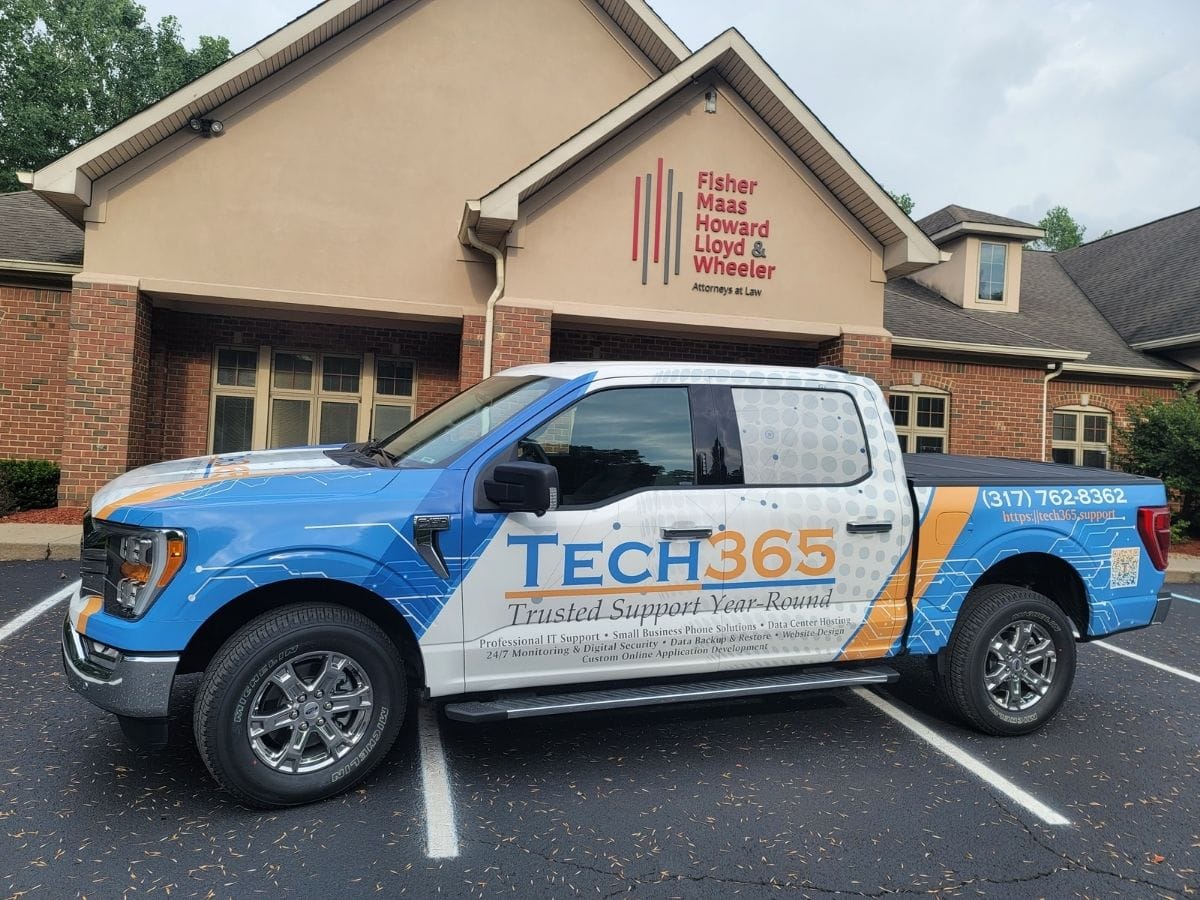
"Tech365 has been a fantastic IT partner for our law firm. Knowledgeable, responsive, and professional across everything from day-to-day support to larger tech projects. They understand the unique needs of a law firm and go above and beyond to keep our systems secure and running smoothly. Highly recommend."
Aimee Rivera Cole; Fisher, Maas, Howard, Lloyd, & Wheeler
COMPLIANCE SOLUTIONS
Stay Compliant, Stay Protected
Staying on top of IT compliance doesn't have to be complicated. From ABA ethics rules and client confidentiality requirements to data security and beyond, we make maintaining regulatory requirements straightforward. Our solutions safeguard sensitive client data and reduce risk to keep your firm audit-ready.

ABA Ethics & Confidentiality
Protect client communications and case data with secure systems that meet your professional responsibility obligations

Data Security & Access Controls
Build a strong security environment that limits access to confidential files and keeps your firm protected from breaches

Cyber Liability Readiness
Implement and maintain the documentation, policies, and protections insurance carriers and clients increasingly require

SUCCESSFUL IT FOR YOUR FIRM
What's Included With Tech365 Legal Managed IT Plans
Law firms depend on stable software, secure networks, and reliable systems every day. Our managed IT plans provide the protection, support, and technology planning needed to keep your firm running without interruptions.
WE SECURE IT
- ABA Ethics & Security Assessment
- Managed Firewalls
- Secure Remote Access
- Confidential Client Data Protection
- Ransomware Protection
- Encrypted Backup & Recovery
- Email Security & Phishing Awareness
- 24/7 Monitoring & Endpoint Detection
- Security Audit Logs & Reporting
- Multi Factor Authentication
- Identity Access Management
- Secure Wi-Fi & Network Segmentation
- Protection for Software & Document Systems
- Security Policy & Compliance Review
WE SUPPORT IT
- Remote Helpdesk
- Onsite Technicians
- Legal Software Support
- Document Management System Support
- Case Management System Support
- Strategic IT Advisory
- Hosted Business Phone
- Video & Chat Support
- End-User Training
- Workstation & Hardware Support
- New User On/Offboarding
- Network Troubleshooting
- Conference Room Tech Support
- After-Hours & Emergency Support
WE SUSTAIN IT
- Business Continuity Planning
- On/Off-Site Backups
- Legal Technology Budget Planning
- Disaster Recovery Planning
- ABA Compliance & Risk Management
- Legal Software & System Integrations
- Application & Software Management
- Asset Tracking & IT Documentation
- Legal Technology Lifecycle Planning
- New Office & Firm Expansion Support
- Technology Refresh & Secure Disposal
- Quarterly Technology Reviews
- Law Firm Technology Standardization
- Legal Software & System Upgrades
Get An IT RISK Assessment For Law Firms
Law firms rely on stable, secure technology to keep cases, client communications, and confidential data running without disruption. Our complimentary IT risk assessment reviews the systems behind your firm to identify vulnerabilities, compliance gaps, and opportunities to improve reliability.
"Tech365 truly lives up to their name. Incredibly responsive and knowledgeable, available any day, any time. I've entrusted my company's IT needs to them and they have absolutely delivered. The best IT folks around. I would recommend them to any business owner without hesitation."
Bryan Stoffel; Stoffel Law
THE Tech365 DIFFERENCE
Why Indiana Law Firms Trust Tech365
Most IT companies treat law firms like any other business. We don't. Legal work comes with unique demands around confidentiality, compliance, and uptime that generic IT support simply isn't built for.
We Know Legal Technology
From Clio to MyCase, we know the platforms your firm runs on and how to keep them working the way attorneys expect.
Confidentiality Is Non-Negotiable
Client data doesn't just need to be backed up, it needs to be protected at every level. We build security around the way law firms actually handle sensitive information.
Ready When You Need Us
When something breaks during a deposition or before a filing deadline, you need someone who picks up the phone. That's exactly what we do.
Compliance Without the Headache
ABA ethics rules and state bar requirements around data security are only getting stricter. We help your firm stay ahead of them without it becoming a full time job.
A Long Term Technology Partner
We don't disappear after onboarding. We show up, we plan ahead, and we grow with your firm as your needs change.
DATA BACKUP & DISASTER RECOVERY
Data Backups Are Not An Option
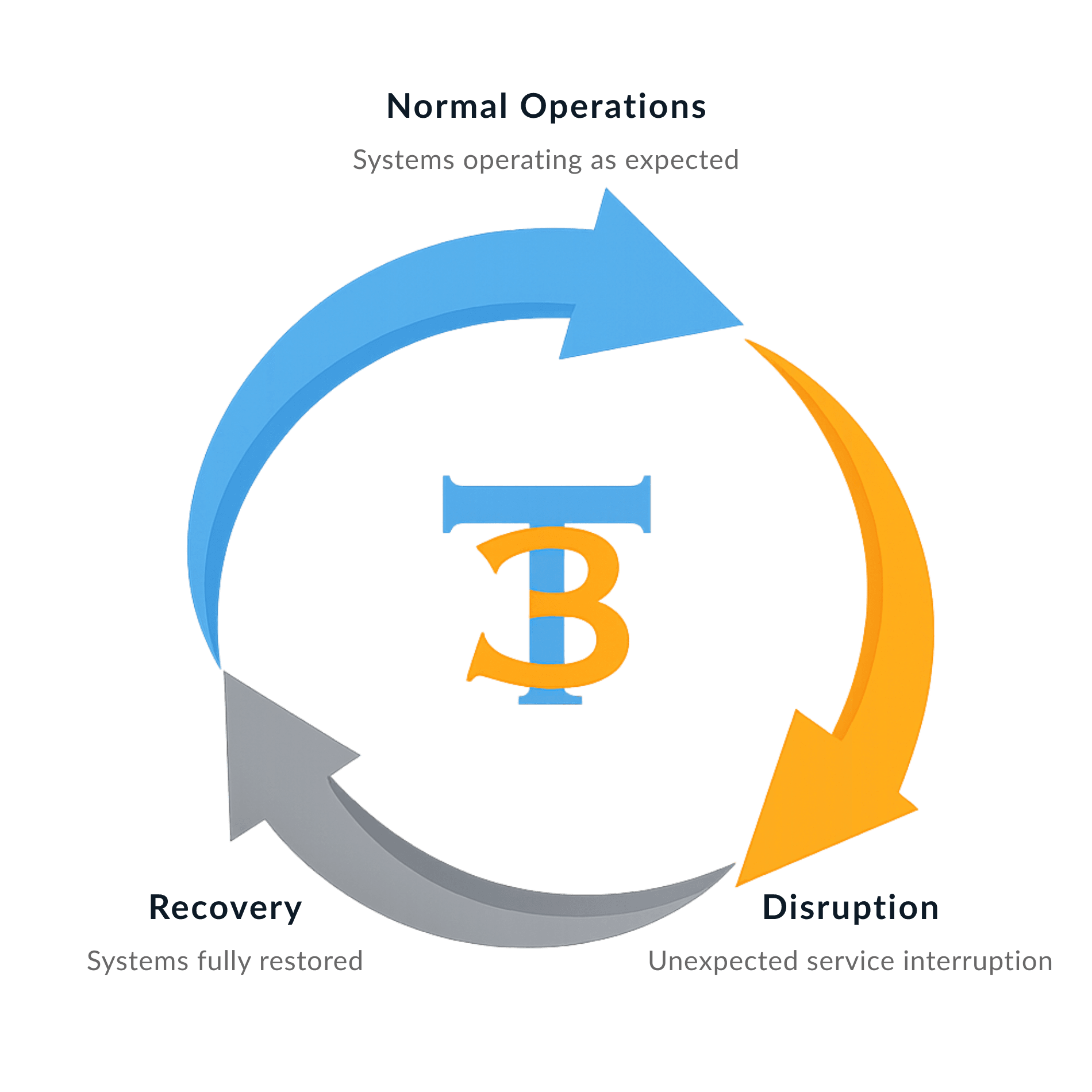
Backup and disaster recovery are required for every White Glove Managed IT client because reliable support depends on reliable recovery.
Tech365 protects your business from:

REMOTE, CLOUD, & HELPDESK TECH SUPPORT
What Remote Legal IT Support Actually Solves
Legal teams rely on case management software, document systems, and connected devices throughout the day. Remote support helps resolve issues across the firm so deadlines, client communications, and daily operations continue running smoothly.
Staff & Helpdesk Issues:
System, Cloud & Network Issues:
ENDPOINT DETECTION & RESPONSE
Stronger Protection For Every Device
Law firms rely on computers, laptops, and mobile devices across the office and remotely to keep casework moving. We monitor every workstation and server to detect threats early and prevent ransomware, data loss, or disruptions to daily operations.
What Endpoint Protection Delivers:

LEGAL CYBERSECURITY PROTECTION
Secure Legal Systems & Confidential Client Data Protection
Law firms handle sensitive case files, financial records, and privileged communications every day. Proper security safeguards protect what your clients trust you with while keeping your technology reliable and compliant with ABA requirements.
Unsecured Network
Staff fall for phishing emails targeting client data
Legal software access shared between employees
Confidential client files exposed to ransomware attacks
Guest WiFi connected to office systems
Client documents sent through unencrypted email
Unauthorized access to sensitive case files
Security alerts go unnoticed by staff
Software updates ignored on firm workstations
ABA compliance risks go unidentified
No verified backup of client files and case data
Secured Network With Tech365
Email filtering blocks phishing and malicious links
Unique user access controls for legal software
Client files protected with modern security tools
Staff and guest WiFi separated and secured
Client data transmitted using encrypted methods
Access to confidential files monitored and logged
Security alerts detected and investigated thoroughly
Systems updated and patched automatically
ABA-aware safeguards across the network
Verified backups protect cases, contracts, and documents
HOSTED BUSINESS PHONE
Connecting Attorneys & Clients Clearly
Clear communication is critical in a law firm. Tech365 provides hosted business phone systems that are reliable, easy to manage, and designed to support your team as your firm grows and changes.

What's Included?
✓ Unlimited users and extensions
✓ Auto attendant and call routing
✓ Voicemail delivered directly to email
✓ Mobile and desktop apps for flexible work
✓ Call handling built for busy offices
✓ Clear call quality with consistent performance
✓ Auto attendant and call routing
✓ Voicemail delivered directly to email
✓ Mobile and desktop apps for flexible work
✓ Call handling built for busy offices
✓ Clear call quality with consistent performance
The Tech365 Advantage
✓ Simple setup with ongoing support
✓ Local, in house support team
✓ Scales easily for teams of any size
✓ No outsourced call centers
✓ Predictable phone costs without losing quality
✓ Secure voicemail with protected data storage
✓ Local, in house support team
✓ Scales easily for teams of any size
✓ No outsourced call centers
✓ Predictable phone costs without losing quality
✓ Secure voicemail with protected data storage
LEGAL MANAGED IT FAQ
Questions Indiana Law Firms Actually Ask Us
We know choosing an IT partner is not a decision you make lightly. Here are honest answers to the questions we hear most from attorneys and firm administrators before they make the switch.

Do you have experience working with law firms?
Yes. We partner with several Indianapolis area law firms and understand the unique technology demands that come with legal work, from case management software to client confidentiality requirements and ABA compliance.
How do you protect confidential client data?
Tech365 owns and operates its own data centers, which means we have direct control over who accesses your data and how it is stored. We are not relying on third party infrastructure. Your firm’s information stays in an environment we manage and monitor ourselves.
What does managed IT cost?
Our managed IT plans start at $75 per workstation and include unlimited remote support. Each plan also includes built in onsite hours for situations that cannot be resolved remotely, so you are never left waiting on a problem that needs hands on attention.
How do you help our firm stay ABA compliant?
We have strict security safeguards in place designed to keep your firm compliant with ABA requirements and data protection standards. Tech365 also carries cybersecurity and other insurance policies that provide an additional layer of protection for our clients.
What if something breaks during a critical moment?
We have service level agreements in place that define our response times, and urgent matters are treated as a priority. When something critical happens at the wrong moment, you are not going to the back of a queue.
Can you support the software our firm already uses?
Yes. We support your entire business including vendor relationships and software management. When something goes wrong we own the problem and work to resolve it, regardless of whether it involves a third party vendor or platform.
How disruptive is the onboarding process?
Onboarding with Tech365 is straightforward and there are no onboarding fees. We have refined our process to make the transition as smooth as possible, and we work after hours when needed to avoid disrupting your firm’s daily operations.
Do you require a contract?
Yes. Tech365 operates on a minimum two year agreement. This allows us to build a genuine long term partnership with your firm, invest in understanding your environment, and deliver the level of service and consistency that a law firm’s technology demands.
SMART LEGAL IT MADE SIMPLE
Our Process For Legal White Glove Managed IT

Learn Your Firm
We start by understanding how your firm operates, the software your team relies on, and what your technology needs to do day to day.
Build The Foundation
Your network, security, and legal systems are structured into a stable, secure foundation built around the way your firm works.

Support Daily Operations
Ongoing support keeps your legal software running, your team productive, and your attorneys focused on clients instead of technology problems.
Plan For What’s Next
As your firm grows we help plan for new attorneys, additional locations, and the technology decisions that keep your firm moving forward.
Local Legal IT Support Across Central Indiana