Keeping Your Business Secure With a Distributed Team
Remote and hybrid work have become permanent parts of how many businesses operate. Along with the flexibility comes a wider attack surface: home networks, personal devices, and public Wi-Fi all introduce risks that don’t exist inside a traditional office. Protecting your business now means securing people and data wherever they happen to be working.
Here’s what to focus on to keep a remote or hybrid team secure.
Why Remote Work Changes the Security Picture
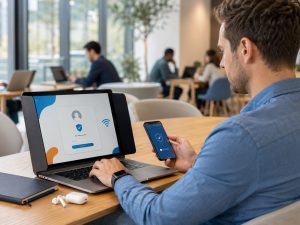
Inside an office, a business typically controls the network, the devices, and physical access to both. Remote work removes most of that control. Employees connect from home routers that may not be configured securely, use personal devices that mix work and personal use, and sometimes work from public networks at coffee shops or airports. Each of these is a potential entry point for an attacker.
Key Areas to Address
Secure, managed devices. Whenever possible, employees should use company-issued and managed devices rather than personal computers for work. Managed devices can be monitored, patched, and locked down if lost or stolen.
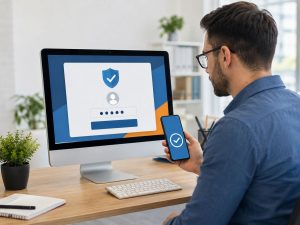
Multi-factor authentication. MFA is especially important for remote teams, since it protects accounts even if a password is compromised on an unsecured network.
VPN or Zero Trust access. A VPN encrypts the connection between an employee’s device and company systems. Some businesses are moving toward Zero Trust models, which verify every request individually rather than trusting anyone already inside the network.
Endpoint protection. Antivirus and endpoint detection tools should be installed and actively monitored on every device that accesses company data, not just office computers.
Secure Wi-Fi guidance. Employees should be reminded to secure their home networks (changing default router passwords, enabling encryption) and avoid accessing sensitive systems on public Wi-Fi without a VPN.
Cloud access controls. Set permissions so employees only have access to the files and systems they actually need. This limits potential damage if one account is compromised.
Don’t Overlook the Human Element
Technology alone won’t fully protect a remote team. Employees working from home or on the go are also more likely to be targeted by phishing attempts that reference remote tools they use daily (fake VPN alerts, fake IT help desk emails). Regular security awareness training helps employees recognize and report these attempts before they cause damage.
A Simple Remote Security Checklist
- Are company devices managed, monitored, and encrypted?
- Is MFA enabled on every business account?
- Is a VPN or Zero Trust solution in place for remote access?
- Are cloud permissions limited to what each employee actually needs?
- Has the team received recent security awareness training?
- Is there a clear process for reporting a lost or stolen device?
The Bottom Line
Remote work isn’t going away, and neither are the risks that come with it. A thoughtful, layered approach to security protects your business without slowing your team down, wherever they happen to be working.
If you’d like help assessing your remote work security setup, Tech365 is happy to take a look.
(317) 762-8362 | Tech365.support