
“We Haven’t Been Hacked Yet” Isn’t a Plan. What Indiana Small Businesses Need to Know About Cybersecurity
By Brandon Mitchell, Tech365
When a leader shrugs and says, “We haven’t been hacked yet,” they’re banking the business on luck. That mindset leaves many Indiana small businesses exposed to threats that are common, costly, and avoidable. This article explains the real risks you face, how to recognize early warning signs, and practical steps to reduce exposure, including the most common attack types, how phishing and ransomware unfold, breach indicators, and sensible prevention strategies. Awareness paired with action is the only safe approach.
Top Cyber Threats Facing Indiana Small Businesses
Indiana small businesses face threats that can halt operations and put customer data at risk. Phishing and ransomware cause disproportionate damage because they target people and core systems. Phishing tricks staff with deceptive messages that harvest logins or personal data, often crafted to look legitimate. Ransomware encrypts files and systems, demanding payment to restore access. These attacks are driving a rise in incidents against small and mid-sized firms. To lower your exposure, consider working with a Managed Service Provider in Indiana who knows local needs and threats.
Practical Steps to Prevent Attacks
Simple, consistent measures help Indiana businesses reduce risk and respond faster when incidents occur.
- Employee Training: Teach staff how attackers gain entry like good password habits, spotting suspicious emails, and safe handling of attachments and links.
- Incident Response Planning: Maintain a documented plan so everyone knows roles and next steps if a breach happens. A clear playbook shortens recovery time and limits damage.
- Layered Security: Use multiple protections such as firewalls, endpoint defenses, and intrusion detection so one gap won’t lead to a full compromise.
Local cybersecurity providers can help customize these measures. Explore Tech365’s services for small businesses to see how an organized security program fits your operations.
What Happens If You Ignore Cybersecurity
Ignoring cybersecurity often costs more than you expect. Immediate impacts include expensive recovery work, legal fees, and possible regulatory fines. Reputation damage can be severe: customers lose trust and rebuilding relationships takes time. After a public breach, businesses can lose clients and struggle to win new ones. Compliance gaps—like mishandling protected health or financial data—can trigger legal action. In short, neglecting security threatens both finances and long-term viability.
Common Threats in Practice
Across Indiana, recurring threats small businesses should watch for include:
- Phishing: Fraudulent emails or messages meant to collect credentials or sensitive information.
- Ransomware: Malicious software that encrypts files and demands payment for recovery.
- Data Breaches: Unauthorized access to confidential information, often bringing heavy financial and legal fallout.
Understanding these threats is the first step toward practical defenses and dependable cloud options for your operations.
How to Spot Phishing and Ransomware
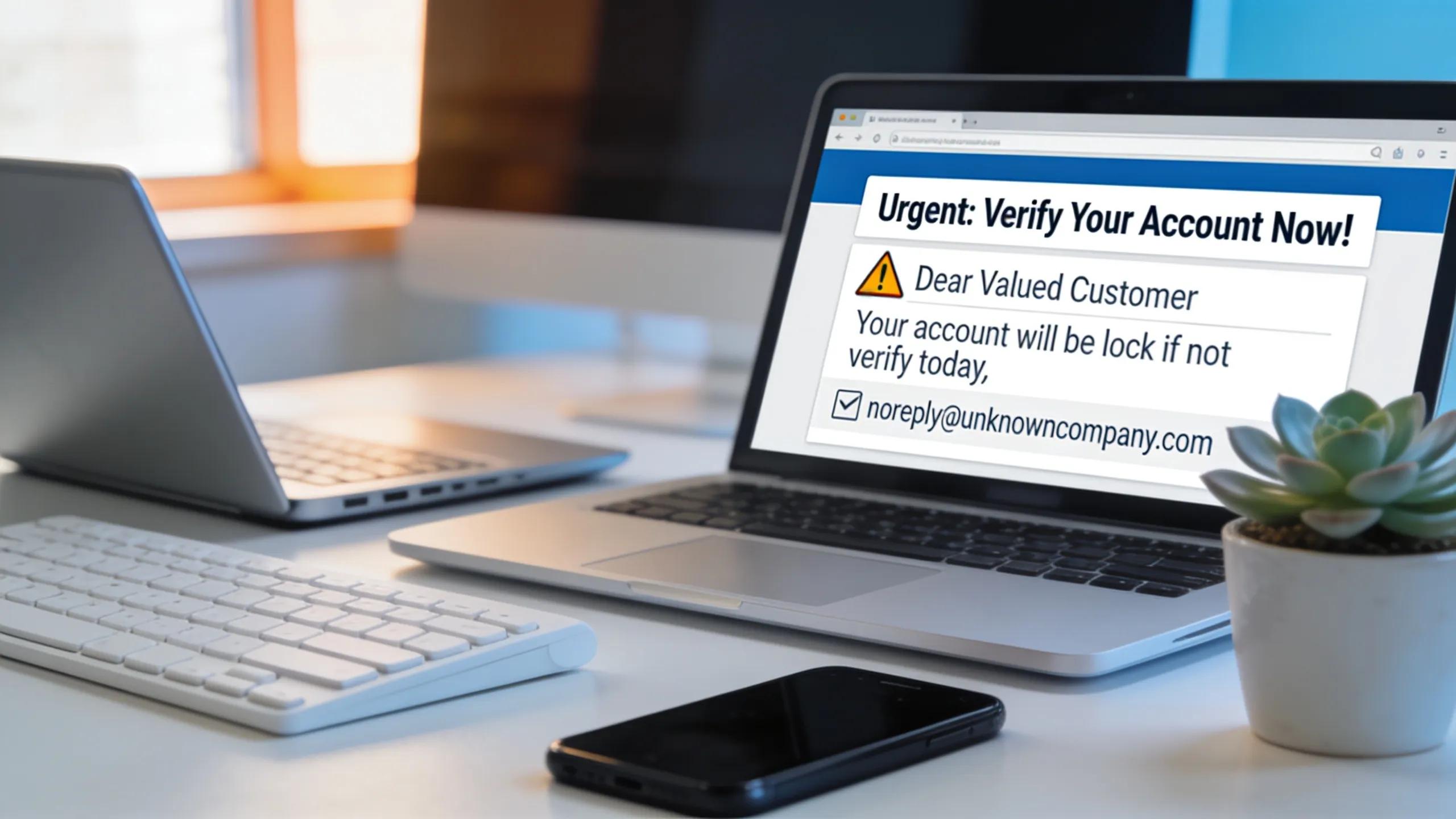
Catching phishing and ransomware early often prevents the worst outcomes. Phishing messages usually arrive unexpectedly and pressure you to act now by clicking a link or opening an attachment. They may mimic familiar brands or coworkers but include odd phrasing, strange sender addresses, or urgent requests that don’t match normal business processes.
Ransomware often shows up as sudden slowdowns, inaccessible files, or ransom notes left in folders. Regular drills and refresher training help staff spot these signs and follow your incident plan without hesitation.
Warning Signs of a Breach
Be on the lookout for indicators that systems may be compromised:
- Slow System Performance: Unexplained sluggishness can signal unauthorized activity such as encryption or hidden processes.
- Unexpected Logins: Access from unfamiliar locations or devices may mean credentials were stolen.
- Modified Files: Unauthorized changes, scrambled documents, or missing files can point to active tampering.
Being alert to these symptoms lets you act sooner. Many businesses turn to Tech365 support for help detecting and responding to incidents quickly.
Staying Protected and Compliant
Security best practices also help you meet legal and regulatory obligations. To protect your business and stay compliant, prioritize these steps:
- Use Layered Defenses: Combine network monitoring, firewall rules, and endpoint controls to shrink the attack surface.
- Enable Multi-Factor Authentication (MFA): A second verification step helps block unauthorized access even if passwords are compromised.
- Back Up Data Regularly: Keep secure, offsite backups so you can restore systems without paying a ransom.
Prioritizing these measures makes your business more resilient as threats evolve. For practical guidance, read recent posts on the Tech IT Out blog.
Frequently Asked Questions
What steps can small businesses take to create a culture of cybersecurity awareness?
Start with regular, relevant training that shows staff what to watch for and how to respond. Use simulations and workshops to demonstrate phishing tactics, run tabletop exercises for incident response, and encourage reporting of suspicious activity without blame. Leadership should reinforce these practices and recognize teams that follow them.
How can small businesses recover from a cyber attack?
Recovery begins by identifying the breach’s scope and containing the threat. Follow your incident response plan to notify affected parties, secure systems, and restore data from verified backups. After recovery, run a post-incident review to close gaps and strengthen controls. A skilled support partner can speed recovery and reduce long-term impact.
Are there specific regulatory requirements for cybersecurity compliance in Indiana?
Indiana businesses must follow state and federal rules such as the Indiana Data Protection Act, as well as sector-specific laws like HIPAA for healthcare. These set expectations for data protection, breach notifications, and employee safeguards. Consult legal or compliance advisors to confirm your practices meet applicable standards.
How does investing in cybersecurity improve customer trust?
Visible, consistent security practices reassure customers that you take their data seriously. When you communicate how data is protected and respond transparently after incidents, you build credibility. Strong security lowers breach risk and signals professionalism—both help attract and retain customers.
What are some common misconceptions about cybersecurity for small businesses?
Many small businesses assume they won’t be targeted or that basic antivirus is enough. In reality, attackers often seek smaller organizations with weaker defenses. Effective cybersecurity combines people, processes, and technology. A layered approach and ongoing training are essential to manage the full range of risks.
Can small businesses benefit from engaging a Managed Service Provider (MSP) for cybersecurity?
Yes. A Managed Service Provider can deliver continuous monitoring, tailored protections, and incident response capabilities that are expensive to build internally. MSPs help align security with business priorities, manage compliance, and free internal teams to focus on core work.
Conclusion
Cybersecurity is no longer optional for Indiana small businesses. With proactive steps—regular employee training, a tested incident response plan, and layered defenses—you can reduce risk and protect customers and reputation. If you need guidance, reach out to a Managed Service Provider to build a plan that fits your organization.