
Data Backup Solutions for Small Businesses — If Your Business Lost All Its Data Tomorrow
Data powers sales, invoices, customer records, and daily tools. Losing it can stop operations and cost time and revenue. This concise guide shows what matters most: practical backup strategies, tools to use, and the immediate recovery steps if you lose everything.
Small businesses face many threats — from storms to cyberattacks — which makes a recovery plan essential, not optional.
Small Business Disaster Recovery & Continuity Planning
Small businesses often suffer higher failure rates after disasters. Weather events, fires, pandemics, power and network outages, legal problems, cyberattacks and technical failures can all stop operations. A business continuity or disaster recovery plan lays out how to get back to work, but many small teams struggle to find the time or budget to create one.
Small business continuity and disaster recovery plans using AI and ChatGPT, 2025
Strategies for Data Backup Solutions
Good backups combine automation, offsite copies, and redundancy so you can restore operations quickly.
- Regular Backups: Automate schedules so recent work is always captured and human error is minimized.
- Offsite Storage: Keep copies in the cloud or another physical location to survive local disasters.
- Multi-Location Backup: Mirror critical data across on-premises and cloud locations to avoid a single point of failure.
These steps form a practical foundation for continuity.
Tools for Data Backup
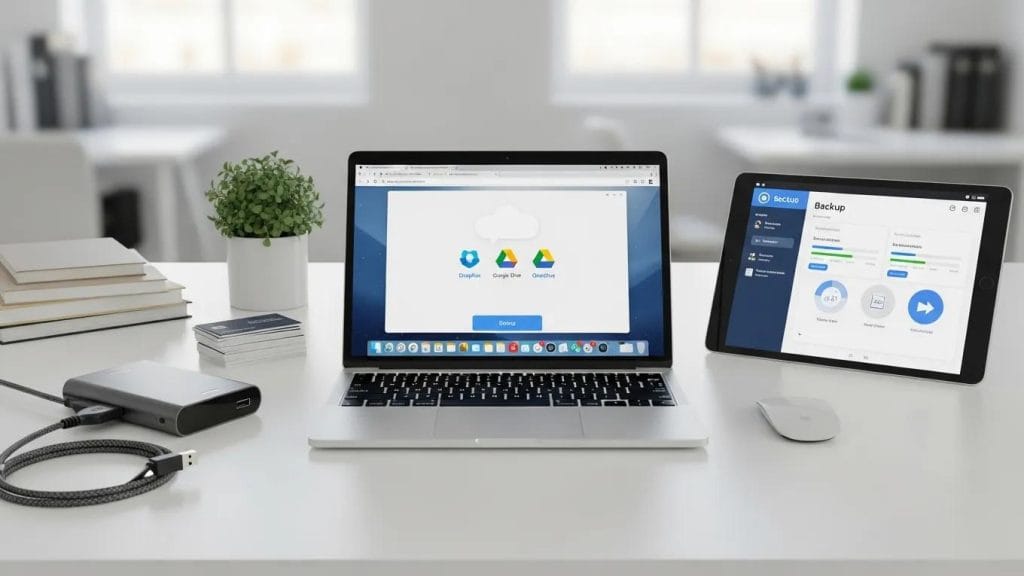
Choose tools that match your budget and recovery needs.
- Managed Backup Services: Outsourced teams handle backups, monitoring, and restores if you lack dedicated IT staff.
- Cloud Backup Solutions: Scalable offsite storage with provider redundancy and remote restores.
- Backup Software: On-premises or cloud software that automates schedules, retention, and restores.
Combine services and software so your backups fit operations and recovery goals.
Best Practices for Implementing Data Backup Strategies
Operational habits make backups dependable.
- Test Recovery Plans: Run restore drills to confirm backup integrity and staff readiness.
- Train Your Team: Make sure employees know what to back up, how to access backups, and who to contact.
- Monitor Continuously: Use alerts and reports to catch failed backups before they become incidents.
Consistent practice and monitoring prevent surprises during real incidents.
What Immediate Steps Should You Take After Losing All Business Data?
Act fast and systematically to limit damage. Follow these priorities:
- Assess the Situation: Identify what is missing and what systems remain functional.
- Verify Backups: Confirm the most recent usable restore points and their integrity.
- Begin Recovery: Restore critical systems first, then less critical data according to your runbook.
Organized action reduces downtime and helps customers and staff return to work sooner.
How to Assess the Extent of Data Loss Quickly
Map the impact to choose the right recovery path.
- Identify Affected Assets: List files, applications, databases, and devices impacted.
- Check Backup Points: Locate the last successful restores for each system.
- Review System Health: Inspect servers, endpoints, and network status for ongoing issues that could block recovery.
Prioritize restores and set realistic timelines for stakeholders.
How Do Local Backup and Cloud Backup Compare for Small Business Data Protection?
Local and cloud backups each offer clear trade-offs; a hybrid approach is common.
- Local Backups — Advantages: Faster restores and no internet dependence.
- Local Backups — Disadvantages: Vulnerable to theft, fire, or site-wide events unless replicated offsite.
- Cloud Backups — Advantages: Scalable offsite protection and provider-managed redundancy.
- Cloud Backups — Disadvantages: Restores depend on bandwidth and have ongoing costs.
Combine local speed with cloud resilience for a balanced plan.
What Are the Benefits and Limitations of Local Backup Services?
On-site backups give control and speed but need offsite mirrors to avoid physical loss.
- Speed of Recovery: Fast restores over the local network.
- Control Over Data: Direct management of access and retention.
- Risk of Physical Damage: Protect on-site copies from fire, flood, theft, or hardware failure with replication.
Include local copies as part of broader redundancy.
Why Choose Cloud Backup Solutions for Disaster Recovery?
Cloud backups simplify offsite protection and scale with your business.
- Automated Backups: Versioning and schedules reduce missed backups.
- Scalability: Add storage as you grow without buying hardware.
- Accessibility: Restore from anywhere to support remote teams and recovery sites.
Research consistently shows cloud adoption can reduce costs, increase flexibility, and support faster recovery for small businesses.
Cloud Computing Benefits for Small Business Data Recovery
This study highlights several cloud benefits for small businesses: greater flexibility, potential cost savings, automatic updates, and large storage capacity that makes storing and recovering data easier. Cloud-based recovery techniques can help retrieve lost or damaged data more efficiently than many on-premises-only approaches.
Adaptation and effects of cloud computing on small businesses, D Karagozlu, 2021
For many teams, cloud backups form the backbone of disaster recovery.
What Are the Key Elements of an Effective Disaster Recovery Plan for Small Businesses?

A plan minimizes downtime and clarifies responsibilities.
Organizations often resist planning, but that resistance makes having a plan even more important today.
Overcoming Resistance to Business Continuity & Disaster Recovery
When business continuity and disaster recovery first became topics of interest, many organizations resisted the effort. Today, the need is clearer: planning requires commitment across teams and leadership to be truly effective.
Business continuity and disaster recovery planning for IT professionals, 2013
- Regular Backups: Keep a disciplined schedule so recent data is covered.
- Clear Procedures: Document step-by-step recovery actions for responders.
- Designated Roles: Assign responsibilities to avoid confusion during an incident.
When these elements are in place, recovery is faster and less error-prone.
How Does Managed IT Backup Support Business Continuity?
Managed services reduce operational burden and improve reliability.
- Minimized Downtime: Providers keep backups on schedule and handle restores.
- Data Integrity: Verification and monitoring reduce corrupted or incomplete backups.
- Enhanced Security: Encryption and access controls protect backup data.
Partnering with a managed provider keeps you resilient without adding internal headcount.
What Steps Should Be Included in Disaster Recovery Planning?
Follow a clear, repeatable process.
- Assess Risks: List threats and affected business functions.
- Define Recovery Objectives: Set RTO and RPO to guide recovery speed and acceptable data loss.
- Document Procedures: Create recovery guides and keep contact lists current.
Plan around real priorities, not guesswork.
Why Is Managed IT Backup Service Essential for Small Business Data Loss Prevention?
Managed backup brings consistency, and reduced risk.
- Regular Backups: Providers run scheduled backups reliably.
- Disaster Recovery Services: Many include restoration support and runbooks.
- Monitoring and Verification: Continuous checks ensure backups are usable.
Managed backup is an efficient option when you can’t staff a full IT team.
How Managed Backup Services Protect Small Business Data
Managed services combine process and technology to keep data restorable.
- Data Integrity: Regular checks and versioning ensure accurate backups.
- Proactive Monitoring: Alerts identify issues before they cause outages.
- Clear Recovery Processes: Documented restores shorten downtime.
These features make managed services a reliable part of continuity planning.
What Are the Advantages of Choosing Managed IT Backup Over DIY Solutions?
Outsourcing backups can save time, reduce risk, and often be cost-effective versus the risk of major incidents.
- Effectiveness: Providers bring tested processes.
- Cost: Subscription costs can be outweighed by avoided downtime and incidents.
- Reliability: Providers deliver consistent backups so internal staff focus on business work.
Learn more about managed options at managed IT backup services and our broader IT services.
To protect systems further, consider cloud-first approaches and strategic IT support. Read about our cloud support, see industry work under clients we serve, or browse tips on Tech It Out. If you want a partner for backup and recovery, Tech365 can help.
Frequently Asked Questions
What types of data should small businesses prioritize for backup?
Prioritize what your business cannot operate without: customer records, financials, payroll/HR files, tax and compliance documents, and critical proprietary or legal files.
How often should small businesses perform data backups?
Frequency depends on data change and acceptable loss. Daily backups are a baseline; high-transaction systems may need hourly or near-real-time replication.
What should businesses do if their backup fails during a recovery attempt?
Stop and assess logs and integrity. If you can’t fix it quickly, escalate to your provider or a recovery specialist and use alternate restore points while diagnosing the failure.
Are there specific regulations that small businesses need to consider for data backup?
Yes. Handling health, financial, or EU/UK personal data invokes rules like HIPAA or GDPR that affect encryption, retention, and breach reporting—confirm your solution supports those controls.
What role does employee training play in data backup strategies?
Training is essential: employees should know what to save, how to access backups, and how to report incidents. Regular drills reduce human error and speed recovery.
How can small businesses evaluate the effectiveness of their backup solutions?
Test restores regularly, review success rates and logs, and measure recovery time against your RTO/RPO targets. Use feedback from restore drills to improve processes.
Conclusion
Protect your business with simple, repeatable habits: automate backups, keep offsite/cloud copies, and test restores. Combining local speed with cloud resilience—or partnering with a managed backup provider—reduces downtime and protects revenue. If you need help designing or running a dependable backup strategy, explore our managed IT backup services and let Tech365 help keep your data and business safe.