At some point, almost every growing business hits the same wall. The person handling IT, whether that’s an owner wearing too many hats, an office manager who’s “good with computers,” or a single in-house hire, can’t keep up anymore. Systems get more complex, security requirements get stricter, and the cost of something going wrong keeps climbing.
That’s usually when the question comes up: do we hire more in-house IT staff, or do we bring in a managed IT provider instead?
There’s no universal right answer here. But there is a clear way to think through it, based on what your business actually needs rather than which option sounds more traditional.
The Nephew Problem
A lot of small businesses start their IT journey the same way. Someone on staff, or a family member, or a friend of the owner, happens to be decent with technology. They set up the network, fix printer issues, and get called whenever something breaks. It works fine for a while, mostly because the business is small enough that nothing too complicated comes up.
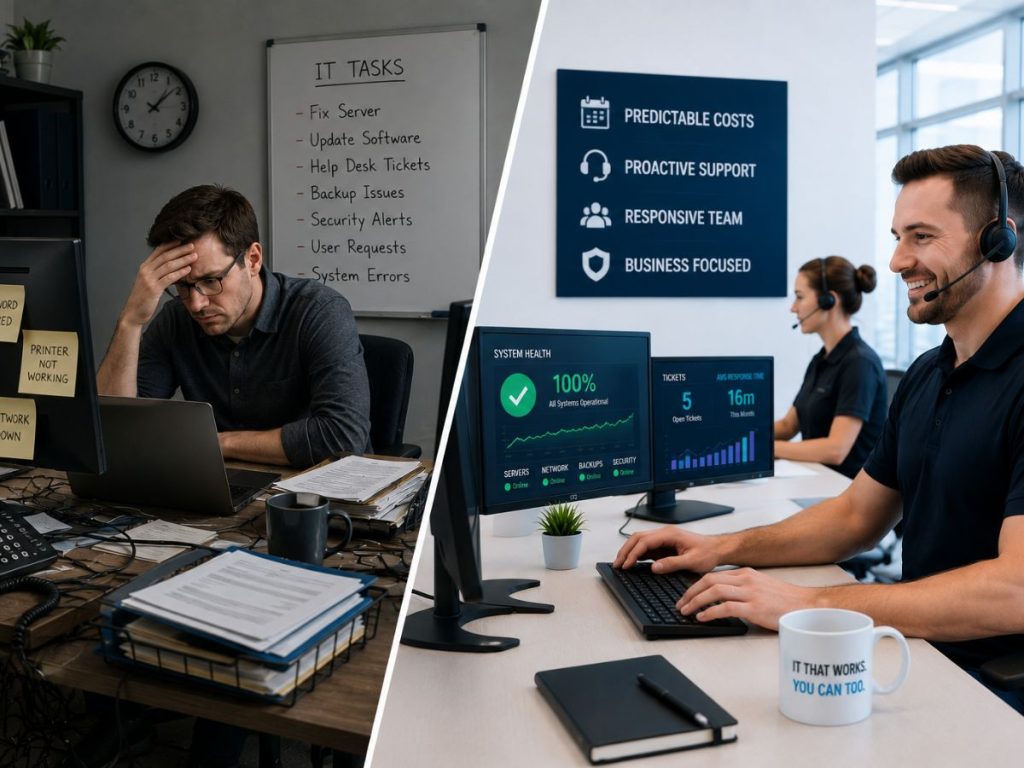
The trouble starts as the business grows. That one person now has a full time job that isn’t IT, security threats have gotten more sophisticated than “don’t click weird links,” and the business has more systems, more data, and more at stake if something goes wrong. The person everyone’s been relying on either gets overwhelmed, doesn’t have time, or simply doesn’t have the depth needed for what the business now requires.
This isn’t a knock on that person. It’s just a mismatch between what they were asked to do originally and what the business needs now.
What In-House IT Actually Requires
Hiring in-house IT staff sounds straightforward on paper, but the real cost and commitment tend to surprise business owners once they get into it.
One person is rarely enough. IT covers a wide range of areas, networking, security, backups, help desk support, vendor management, compliance. One hire is unlikely to be strong across all of it, and if that person goes on vacation, gets sick, or leaves the company, there’s no coverage in the gap.
Salaries add up fast. A single experienced IT hire in most markets runs well into six figures once benefits are factored in. Building out a team that can actually cover all the bases, network, security, help desk, means multiplying that cost.
Keeping up with security is a full time job on its own. Threats change constantly. Staying current on new attack methods, patching schedules, and compliance requirements takes ongoing attention that’s hard for one person to maintain alongside daily support requests.
Tools and infrastructure cost extra. Beyond salary, in-house IT needs access to monitoring tools, security software, and often outside specialists for things like penetration testing or compliance audits. Those costs are easy to underestimate when budgeting for a hire.
None of this means in-house IT is a bad choice. For larger organizations with complex, highly specific technical needs, an internal team can make a lot of sense. But for most small and mid-sized businesses, the math often doesn’t add up the way it initially seems to.
What Managed IT Actually Provides
A managed IT provider like Tech365 works differently. Instead of one person covering everything, a business gets access to an entire team with different areas of focus, all for a predictable monthly cost.
Broader coverage without the overhead. A managed IT team typically includes people focused on network infrastructure, cybersecurity, help desk support, and compliance, all working together rather than relying on one generalist.
Predictable costs. Instead of a large salary plus tools plus benefits plus training, businesses pay a set monthly fee that scales with their needs. Budgeting becomes far easier.
No coverage gaps. If one team member is out, others are still available. Support doesn’t disappear because one person is on vacation.
Access to tools most small businesses couldn’t justify buying alone. Enterprise-level monitoring, security software, and backup systems are often included as part of the service, tools that would be expensive to license and maintain independently.
Proactive rather than reactive. A good managed IT provider is watching for problems before they become outages, rather than waiting for something to break and then responding.
The Real Question to Ask
The decision usually comes down to this: does your business need one person who’s good with computers, or does it need a team that specializes in keeping a modern business secure, compliant, and running?
For businesses with straightforward, low-risk technology needs and no compliance requirements to worry about, an internal hire might genuinely be enough. But for most businesses handling client data, operating under any kind of compliance requirement, or simply relying heavily on their systems to function day to day, that single-person setup starts to look like a risk rather than a cost saving.
A Few Questions Worth Asking Yourself
If you’re weighing this decision for your own business, a few honest questions can help clarify things:
Does your current IT person or team have real depth in cybersecurity, not just general troubleshooting?
What happens if that person is out sick or leaves the company tomorrow?
Do you know whether your systems currently meet the requirements your cyber insurance policy, industry regulations, or client contracts require?
Are you spending more time worrying about your IT setup than actually running your business?
If any of those answers make you uneasy, that’s usually a sign it’s worth exploring what a managed IT partnership could look like, even if the plan is simply to compare it against what you’re doing now.
Where Hamilton County Businesses Fit In
Hamilton County has a lot of small and mid-sized businesses right in this position. Big enough that IT problems have real consequences, but not big enough to justify a full internal IT department with the depth modern security and compliance demands.
Tech365 built its White Glove Managed IT approach specifically for businesses in that spot. The goal isn’t to replace the value of having someone who knows your business. It’s to surround that with the coverage, security, and consistency a single hire or informal setup usually can’t provide on its own.
Not sure which direction makes sense for your business? Schedule a complimentary consultation and we’ll walk through what your current setup covers, and where the gaps actually are.