Unifi Firewall & Security | Certified Ubiquiti Installer
Stop The Threats Before They Reach Your Business
A business-grade UniFi firewall with intrusion prevention, web filtering, and secure remote access, configured and hardened by Tech365's own team, then watched by the same local people who installed it.
400+
firewalls deployed
100%
in-house install team
24/7
monitoring
Internet threatsYour network
1,284threats blocked today (example)
See It in Action
See What Happens When You Try to Break In
Pick a common threat and watch what happens when it reaches a Tech365 configured UniFi firewall.
Outside
UniFi firewall
Employee laptop
Simplified illustration. Some protections, such as expanded threat signatures and category filtering, use Ubiquiti's optional CyberSecure service.
60-Second Security Checkup
How Protected Is Your Network Right Now?
Answer six quick questions. Every “No” or “Not sure” shows you a specific fix.
Is your firewall business-grade, not the box from your internet provider?
Replace the provider's router with a business-grade UniFi gateway.Are guests and smart devices on a separate network from your business data?
Separate guest, device, and staff networks so one weak point can't expose everything.Do remote staff connect through a secure VPN?
Set up a VPN so remote access is encrypted and limited to approved people.Are firmware and security updates applied automatically?
Turn on scheduled updates so known weaknesses get patched quickly.Is someone actually watching your security alerts?
Have alerts monitored, so warnings lead to action instead of sitting unread.Do admin accounts use strong passwords and two-factor sign-in?
Lock down admin access with unique passwords and two-factor authentication.0 / 6
Answer to see your scoreYour score updates as you answer. Every gap you uncover is something Tech365 can close.
Close My Gaps
Gateway Picker
Which UniFi Gateway Fits Your Business?
Choose your team size and see the gateway we'd typically start with. Every model runs the same UniFi security features.
RecommendedUp to about 30 people
Cloud Gateway Max
Compact desktop gateway for small offices.
- 2.3 Gbps intrusion prevention
- Runs cameras and door access too
- Quiet, fanless design
RecommendedAbout 30 to 100 people
Cloud Gateway Fiber
Compact gateway built for fast fiber internet.
- 5 Gbps intrusion prevention
- 10G ports for fiber connections
- Runs cameras and door access too
RecommendedAbout 100 to 300+ people
Dream Machine Pro Max
Rack-mounted gateway with failover for growing businesses.
- 5 Gbps intrusion prevention
- Supports 2,000+ connected devices
- Optional backup gateway failover
RecommendedLarge campuses
Dream Machine Beast
High-capacity gateway for large, busy networks.
- 25 Gbps intrusion prevention
- Built for very high device counts
- Rack-mounted for server rooms
Team sizes are typical starting points. Intrusion prevention speeds are Ubiquiti's published figures. Your internet speed, device count, and whether you run cameras on the gateway all factor into the final choice.
Licensing Only
Firewall Licensing: What's Included and What's Optional
This section covers software licensing only. Here's what comes with no license fee, and the one optional subscription some businesses choose.
No license needed
$0 licensingThese features require no license or subscription, and keep working for as long as you own the hardware.
- Stateful and application-aware firewall
- Built-in intrusion detection and prevention
- Network segmentation for guests and devices
- VPN for remote staff and site-to-site links
- Region blocking and ad blocking
Optional: CyberSecure
About $99/yr license per gatewayUbiquiti's optional subscription license for businesses that want deeper protection.
- A much larger threat signature library, updated weekly
- Category-based web filtering
- Recommended for compliance-focused businesses
Licensing only: these figures cover software licensing, not hardware, installation, or Tech365 management, which are quoted separately and up front. We'll tell you whether CyberSecure makes sense for your business, and never add it without explaining why. CyberSecure pricing is set by Ubiquiti and may change.
Hardened on Day One
The Security Settings We Lock Down on Every Install
A firewall is only as good as its configuration. These are the settings Tech365's team configures before we call any install finished.
- Default passwords replacedEvery admin login gets a unique, strong password.
- Two-factor sign-in for adminsOnly approved people can change your security settings.
- Intrusion prevention turned onTuned for your traffic so it blocks threats without breaking anything.
- Web and content filteringKnown malicious and unwanted sites blocked for everyone.
- Region blockingTraffic from countries you don't work with, stopped at the edge.
- Separate networksStaff, guests, devices, and cameras kept apart.
- Update scheduleFirmware and security updates applied on a planned schedule.
- Configuration backupsYour settings saved, so recovery is fast if anything fails.
- Alerts routed to peopleSecurity alerts go to a real person who acts on them.
Our Own Team
The People Wiring Your Doors Work for Tech365
No subcontractors. Our own technicians install every reader, lock, and hub, and the same local team supports it afterward.
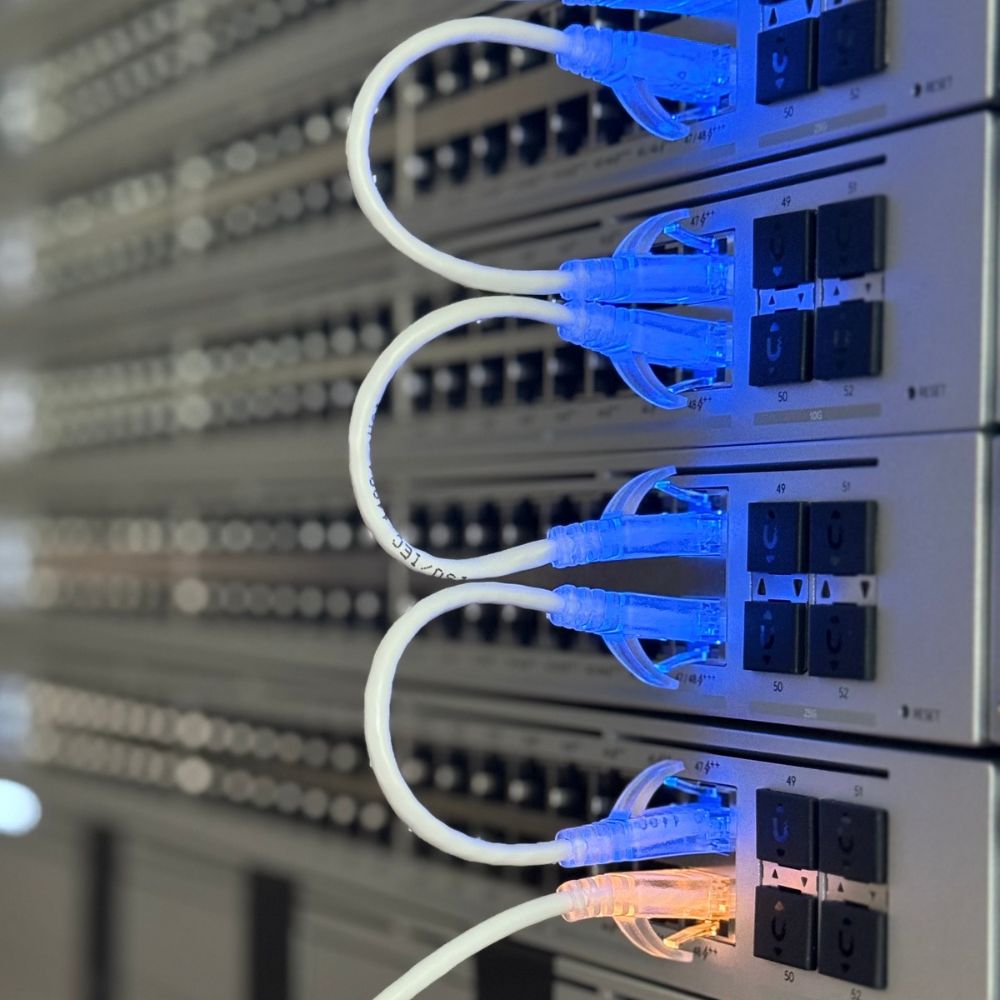
- Configured on siteOur technicians set up your gateway, rules, and separate networks in person, then test everything before we leave.
- Documented for youEvery setting is recorded and your configuration is backed up, so changes and recovery are quick.
- Supported locallyQuestions and issues go to the same Central Indiana team that did the install.
TRUSTED BY LOCAL BUSINESSES
The Team Behind Every Network
Our clients count on the same Tech365 team for their firewall, network, and everyday IT. Here’s what they have to say.
EXCELLENT Based on 132 reviews
 Posted on Google

 Ashley MohrNovember 7, 2026We can’t say enough great things about this crew! Wednesday turned into a bit of crisis mode when our office server unexpectedly went down. Thankfully, he had a replacement server on hand, got everything set up, and even drove it to us to get us back up and running! They are always responsive, knowledgeable, and willing to go above and beyond. One of the things we appreciate most is how they make IT feel easy, even when we’re asking questions that probably seem silly to them! They never make us feel that way and are always patient and helpful. So thankful to have a team we can count on, especially when things don’t go as planned. Highly recommend!Posted on Google
 Clay ClementNovember 7, 2026Since we built this home 10 years ago, we’ve struggled with decent WiFi in several locations. Brandon came out today and within about an hour, installed some additional equipment and we are now well connected everyone in our home. Thanks Brandon for solving this for us quickly and efficiently.Posted on Google
 Luke RogersNovember 5, 2026Our dental office has been using Brandon and Tech365 for the last several years and cannot recommend their services enough. Some of the nicest people you will ever meet and have never had a single issue that the team couldn’t get resolved quickly. 10/10 couldn’t recommend more!Posted on Google
 Natalie LorenzanoNovember 5, 2026We use Tech365 for any and all IT related issues. They are speedy and knowledgeable and have helped our business grow! They are so friendly and really care about our issues.Posted on Google
 Patti HarmlessNovember 4, 2026Brandon is a lifesaver, especially for someone who is technically challenged. He answers my questions in a way I can understand and his patience is exceptional. Brandon and Tech365 are extremely generous with their support and the PCYDC CASA Program appreciates their service. Patti Harmless PCYDC CASA DirectorPosted on Google
 Joe MetzSeptember 1, 2026Brandon was a huge help! I was referred to 2 other tech people first (from other companies) who were not able to solve my issue and Brandon had us up and running in just a few hours. I could not recommend Brandon and Tech365 enough!!Posted on Google
 Missy TennantAugust 25, 2026Brandon and his team are the best. They are always available and keep us up and running. We couldn't do what we do without him.Posted on Google
 Zach SmithAugust 24, 2026We have been absolutely thrilled with the team at Tech365. They are very quick to respond when they are and go above and beyond to service their clients. We are happy to have them on our side!Posted on Google
 Monish PatelAugust 24, 2026Best Ever. Brandon knows it all and does the best work!! Would use him for everything! Smartest guy in the room and has the best heart as well!!Posted on Google
 Joshua CarterAugust 23, 2026If you are looking for a company that prioritizes your needs, finds ways to save you money, and can do anything (literally anything) tech related…. Look no further. I have been working with Tech365 for the past couple of years and my business operations have drastically improved because of them. Brandon solves problems and lets you be a part of the process and learn along the way. Super helpful for another business owner who desires to understand all parts of their business. I highly recommend Tech365!
QUESTIONS WE HEAR OFTEN
UniFi Firewall FAQ
Straight answers about protection, costs, and who's doing the work.
Do you use subcontractors to set up firewalls?
No. Every Tech365 firewall is installed, configured, and hardened by our own employees, and the same local team supports it afterward.
Is there a subscription for the UniFi firewall?
The firewall, intrusion prevention, segmentation, and VPN work without a subscription. Ubiquiti offers an optional CyberSecure add-on, about $99 a year per gateway, for a larger threat signature library and category-based web filtering. We'll tell you if it makes sense for you.
Will the firewall slow down our internet?
Not when it's sized correctly. Each UniFi gateway is rated for a certain intrusion prevention speed, and we match the gateway to your internet connection and device count.
Do we still need antivirus on our computers?
Yes. A firewall protects the network, while endpoint protection protects each computer. Tech365 can manage both as part of a layered approach.
Can our remote staff connect securely?
Yes. UniFi gateways include VPN options, so approved staff can reach files and systems from home over an encrypted connection.
Can you connect multiple locations?
Yes. UniFi supports site-to-site connections, so multiple offices can share resources securely as one network.
Does this help with compliance like HIPAA?
A properly configured firewall is an important part of compliance, including segmentation, access control, and logging. We configure with your requirements in mind and can help with the bigger picture through our compliance services.
What happens if the firewall itself fails?
We keep a backup of your configuration for fast recovery, and select models support a second gateway that takes over automatically if the first one goes down.
Find Out Where Your Network Stands
Book a complimentary security review. We'll look at your current firewall and setup, and show you exactly what we'd tighten up.
UniFi Firewall Installation Across Central Indiana